

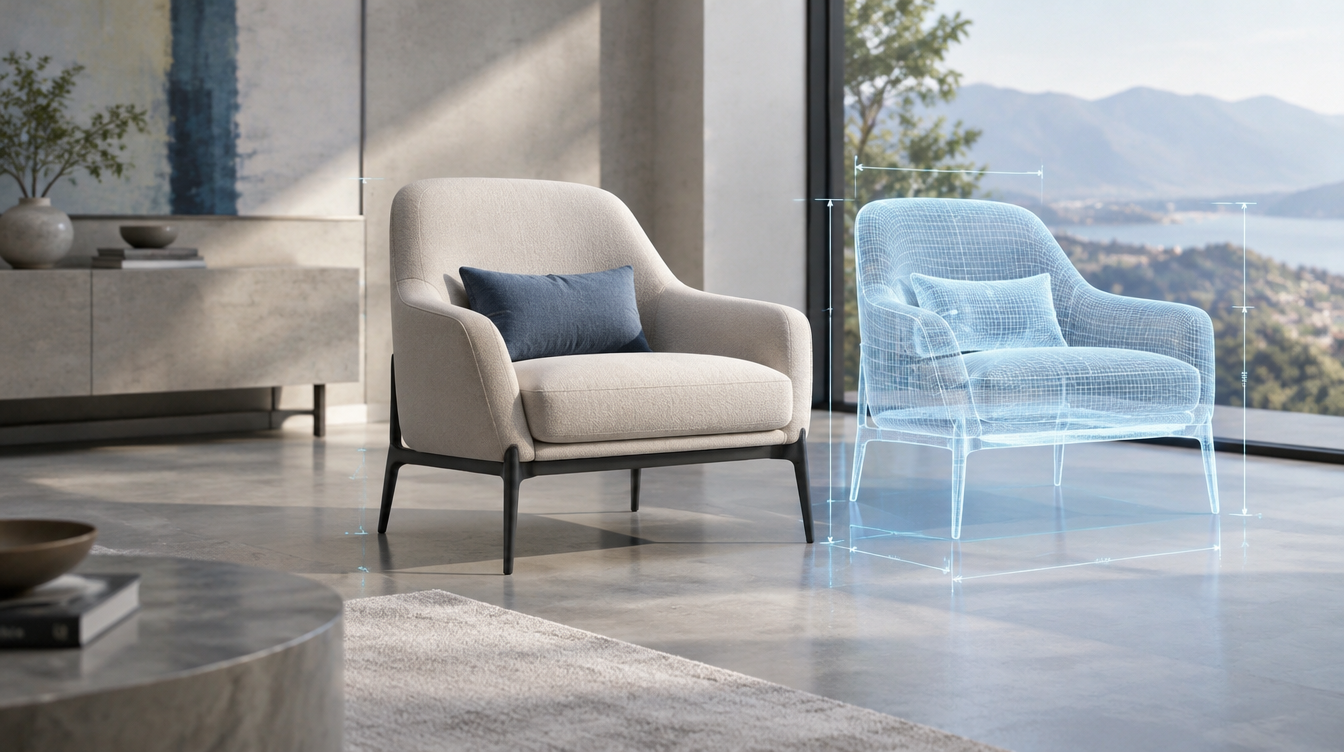
Photography answers one question really well: does this look desirable? It does not tell a buyer whether the sofa fits the alcove, how the oak compares with the walnut, or what the product looks like in their own space. Those unanswered questions are where orders stall.
CGI is moving from marketing asset to sales tool
In an October 2026 DesignRush interview, Tonic founder Ashay Kshirsagar argued that CGI is shifting from a marketing asset to a sales tool for complex products. His point: buyers need to know scale, materials, configurations and fit, and a photograph cannot show all of that. Interactive visualisation lets them rotate a product, inspect details, compare finishes and see it in a realistic setting before they ever talk to your sales team.
Find the one question that costs you sales
Most brands try to fix this by building a full catalogue of 3D assets or a complete configurator. That is the expensive route. Kshirsagar's advice is to start with the one buying question that currently causes the most hesitation. That is a better filter than any feature list. Check your returns data, your pre-sales emails and your live chat transcripts. One question usually dominates.
Match the question to the CGI asset
Once you know the question, the asset is usually obvious. If the question is size, use scale renders: the product next to familiar objects, or placed in a standard room with dimensions. If it is finish or colour, produce one consistent set of renders across every option so buyers can compare like for like. If it is how it works, use a short product animation showing the mechanism. If it is how it looks in my space, use lifestyle scenes in several interior styles.
Why CGI beats a reshoot for this job
A photoshoot captures the products you have today, in the finishes you made for the shoot. CGI is built from the same 3D model that design or engineering already produced, so a new colourway or revised dimension means updating a file, not rebooking a studio. Every image also stays consistent in lighting and angle, which matters when buyers are comparing options side by side.
It also stays accurate. Where a buyer is relying on the image to judge size or finish, a controlled render is more dependable than a generated one, which is the case we made in our CGI vs AI-generated product images post.
Start small, then scale
Pick one hero product, answer its biggest hesitation, and measure the result: conversion rate on that page, returns, and pre-sales queries. If the numbers move, extend the same approach to the range. If you later want a configurator or AR viewer, the 3D models already exist, so nothing is wasted.
Quick answers
What is the difference between product photography and product CGI?
Photography captures a physical product in a set. CGI builds the product from a 3D model, so it can show any finish, angle, scale or setting without a new shoot.
Do I need a 3D configurator to use CGI for sales?
No. Start with one image set or short animation that answers your biggest buying question. A configurator can come later using the same 3D models.
How do I find the buying question that matters most?
Review return reasons, pre-sales emails and live chat transcripts. The question that appears most often is your starting point.
Can CGI reduce returns?
It can when returns come from mismatched expectations about size, colour or finish, because buyers see accurate scale and materials before ordering. Test it on one product first.
